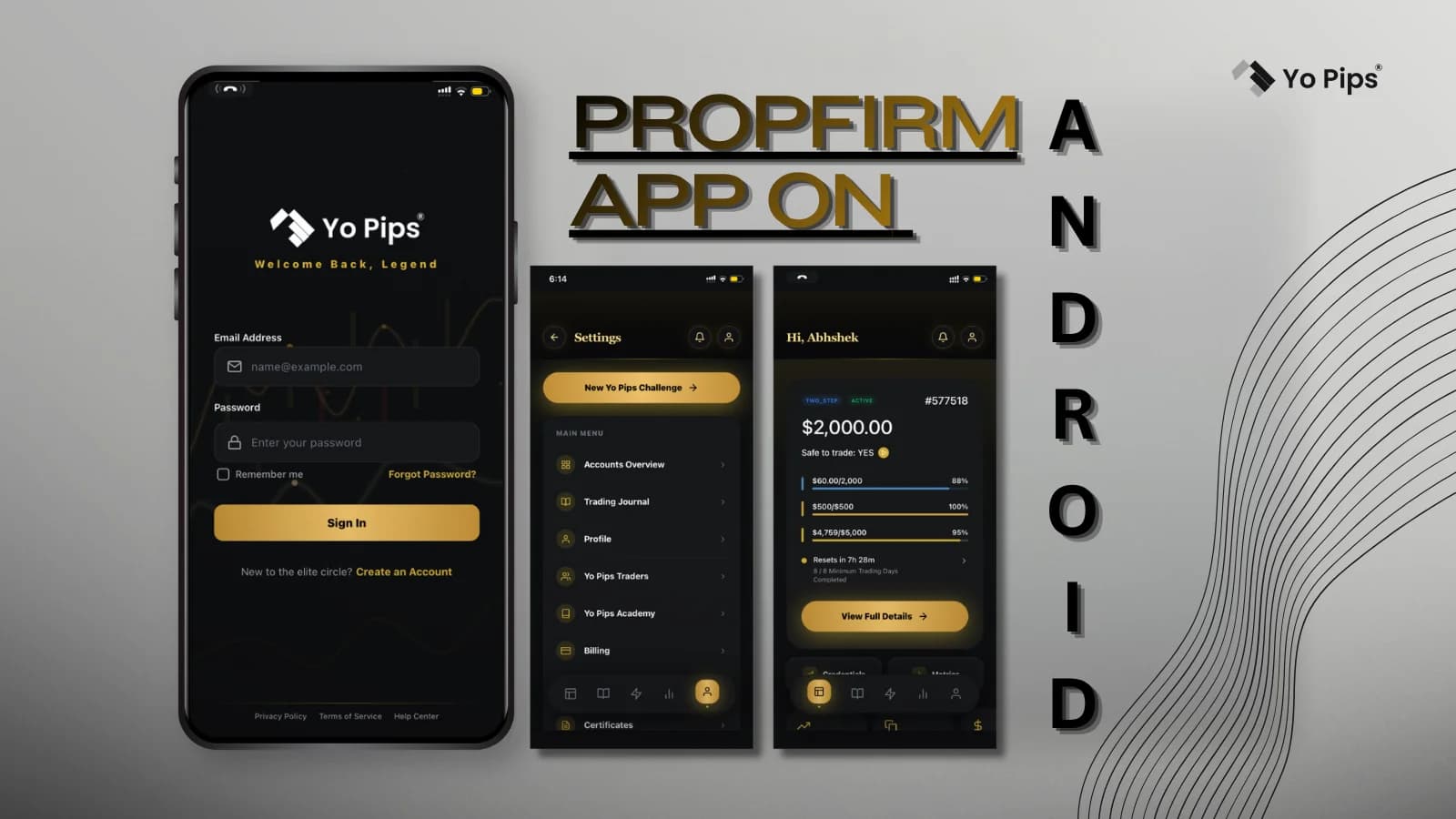
Introduction
You've just dipped your toes into trading, but the market waits for no one. Imagine accessing funded trading accounts right from your Android device, turning your smartphone into a powerhouse for profits. That's the urgent reality of a prop firm app on Android—your gateway to professional-level trading without the massive upfront capital. As a beginner, you're likely overwhelmed by desktop platforms and complex setups, but these apps simplify everything, letting you trade forex, stocks, or crypto on the go.
Why does this matter now? The trading world is exploding, with prop firms offering up to $200,000 in funded accounts after passing simple challenges. Without a reliable prop firm app on your Android phone, you're stuck watching opportunities slip away while others capitalize. Stats show mobile trading volumes have surged 40% in the last year, proving you can't afford to lag behind. This guide cuts through the noise for beginners like you, highlighting how these apps democratize trading and boost your edge.
We'll dive into what prop firm apps really are, how to pick the best prop firm app on Android for your needs, and the game-changing perks of free options. You'll get practical steps, real examples, and tips to launch your journey fast. Don't delay—mastering this now could transform your side hustle into serious income. By the end, you'll know exactly how to equip your Android with tools that pros swear by, putting you steps ahead in the competitive market.
Understanding Prop Firm Apps on Android
You need to grasp the basics before jumping in. A prop firm app on Android is essentially a mobile platform from proprietary trading firms that lets you trade with their capital after proving your skills. These firms, like those specializing in forex or futures, fund successful traders to share profits—often 80% yours. For beginners, this means skipping the barrier of needing $10,000 or more to start; instead, you pay a small challenge fee and trade virtually until funded.
Picture this: You're commuting, and a market dip hits. With a prop firm app on your Android phone, you execute trades instantly via intuitive charts and one-tap orders. Unlike clunky web versions, these apps integrate real-time data, risk management tools, and performance trackers tailored for mobile screens. A beginner trader in a recent case study passed a $50,000 challenge in two weeks using such an app, scaling from demo to live funding seamlessly.
Key features you should look for include low latency execution to avoid slippage during volatile sessions, customizable alerts for news events, and educational modules built-in. Many apps support MT4 or MT5 engines, familiar to newbies from free tutorials. According to industry reports, over 70% of new traders fail due to poor risk control—apps counter this with automated stop-losses and drawdown limits, enforcing discipline you might otherwise ignore.
- Demo modes: Practice without real stakes, building confidence before challenges.
- Multi-asset support: Trade pairs like EUR/USD or indices from one dashboard.
- Community forums: Connect with other beginners for tips on passing evaluations.
Real-world application? A novice from Texas used a basic prop app to monitor trades during his 9-5 job, hitting consistent 5% monthly returns post-funding. Urgently adopt this tech—delaying means missing the mobile trading boom that's reshaping retail success.
Finding the Best Prop Firm App on Android for Beginners
Don't settle for subpar tools when your capital's on the line. Selecting the best prop firm app on Android demands focus on usability, reliability, and firm reputation—crucial for you as a starter avoiding scams. Start by checking app store ratings above 4.5 stars and user reviews highlighting smooth onboarding. Top apps like those from FTMO or FundedNext offer Android versions with seamless challenge integration, but compare payout speeds and rule flexibility.
Consider your trading style: If you're into scalping, prioritize apps with ultra-fast execution under 50ms. For swing trading, seek robust analytics like backtesting on historical data. A beginner's pitfall is ignoring compatibility—ensure the app runs on your Android version without glitches. In one example, a user switched to the best prop firm app on Android after a free trial exposed lag in a competitor, boosting their win rate by 25% through better charting.
Security is non-negotiable; look for two-factor authentication and regulated brokers behind the firm. Fees vary—some charge $100 for a $10,000 challenge—but the best hide no gotchas in fine print. Expert insight: Prop firms with mobile-first apps retain 60% more traders long-term due to accessibility. Test multiple via demos; urgency is key as markets evolve daily.
- Download from official sources to dodge fakes.
- Verify funding ratios: Aim for 90/10 profit splits favoring you.
- Read terms on drawdowns—static 10% limits protect beginners best.
For deeper dives, explore this guide on prop firm trading apps. You can revolutionize your setup in hours; the best app turns your phone into a profit machine, fast-tracking your pro status.
Exploring Free Prop Firm Apps on Android and Getting Started
Why pay when you can start free? A free prop firm app on Android opens doors without wallet strain, ideal for testing waters as a beginner. These apps often come from firms offering no-fee demos or low-entry challenges, letting you simulate funded trading with virtual capital up to $100,000. Jump in via Google Play, sign up with an email, and access full features minus real payouts—perfect for honing strategies risk-free.
Take a free prop firm app on Android phone like the one from The5ers; it mirrors live conditions with daily drawdown rules, teaching you to manage 5% losses per session. Beginners thrive here— one user shared how practicing on such an app helped pass a paid challenge on the first try, netting $2,000 in profits shortly after. These tools include video tutorials on entries/exits, making complex concepts digestible in bite-sized lessons.
To get started urgently: Install, complete a profile quiz for personalized dashboards, and set goals like 10% profit targets. Track progress with built-in journals; stats reveal free app users improve accuracy by 30% in three months. Avoid pitfalls like overtrading by using the app's time filters. Real application? During a weekend demo, you could backtest a simple moving average strategy on GBP/JPY, refining it before Monday's open.
- Link to broker accounts: Seamless transition to live once ready.
- Push notifications: Alert you to high-probability setups 24/7.
- Performance analytics: Graphs showing win rates to iterate fast.
Hype is real—these free options eliminate excuses, propelling you toward funded reality. Act now; download and trade your way to expertise before competitors do.
Conclusion
You now understand prop firm apps on Android as essential mobile tools for funded trading, how to select the best for seamless performance, and the value of free versions to build skills without cost. These insights empower beginners like you to bypass traditional barriers and seize market opportunities urgently. Key takeaway: Start with demos to gain confidence, then scale to live funding for real profits.
Don't wait—equip your Android today and transform trading from hobby to hustle. Start trading like a pro with YoPips 🚀